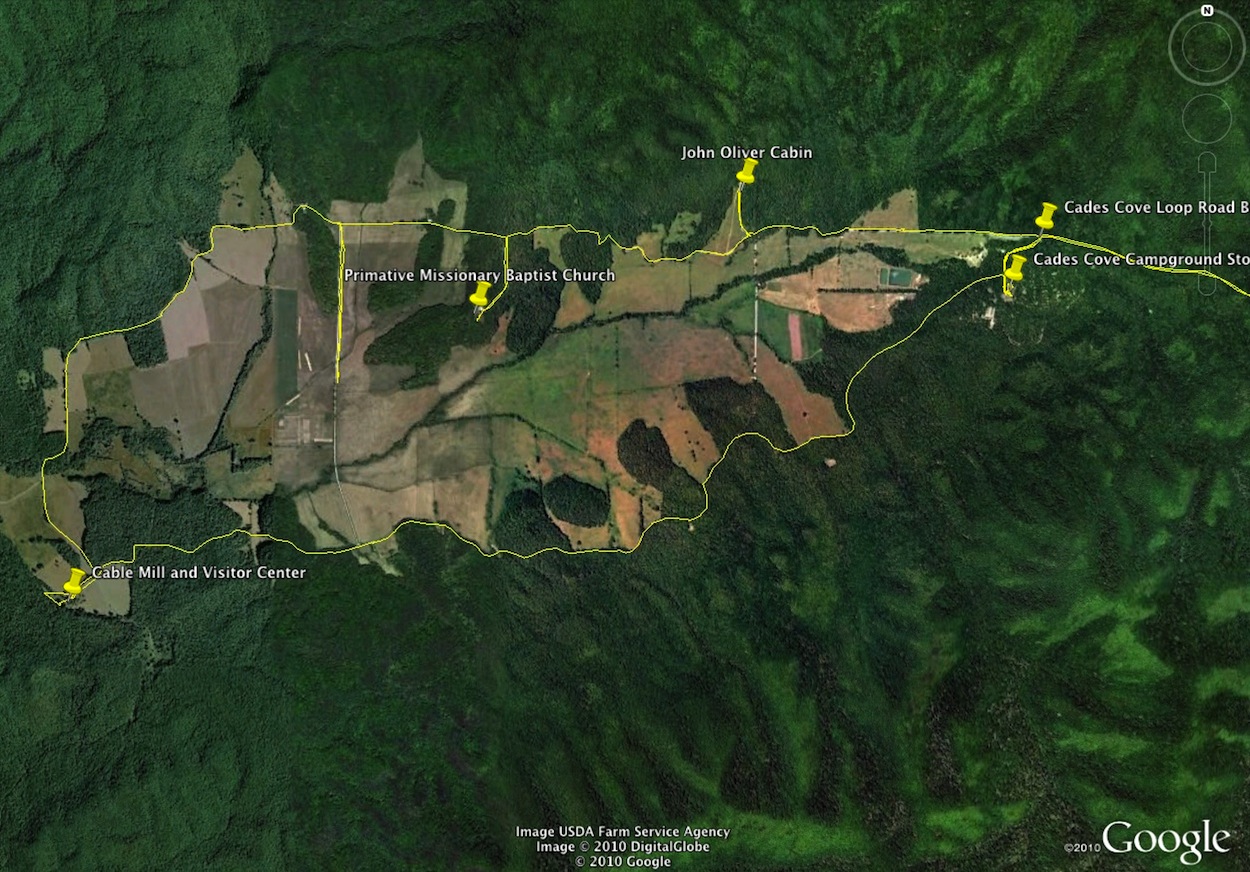
The track of our visit to Cades Cove, Great Smoky Mountains, Tennessee. August 27, 2010.
One disadvantage to taking lots of pictures on a trip is that it is not always easy to remember where a particular picture or series of pictures was taken.
My blogger friend Neal brought an AMOD geotagger to my attention and I got one a few months ago. While I have used it to tag the location of some of our pictures, I really haven’t experimented with it to get a good idea of what can be done with the data.
Betsy and I drove to Cades Cove in the Smokies after running an errand in Knoxville Friday morning. The park service has repaved the Cades Cove Loop Road and we wanted to see how the project turned out.
As we got near Cades Cove I turned on the geotagger. The yellow line in the screen shot above is a track of where we drove or hiked. The screen shot is taken from Google Earth and I can put in waypoints and descriptions as you can see. On Google Earth I can also zoom in or out to give different views of the area. I could post the track on Google Earth so others could manipulate the view as well, but I’m inclined not to do that. I have enough trouble posting my current web pages and blogs without adding more.
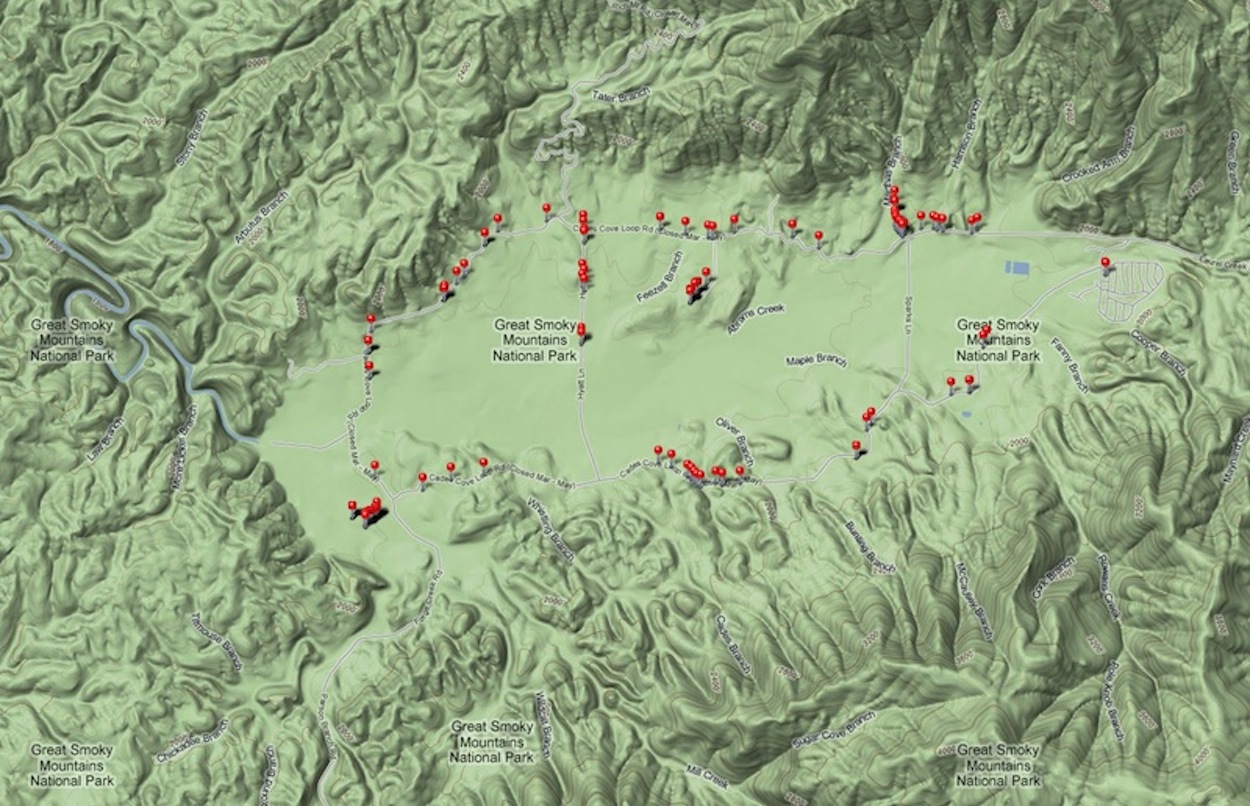
Map of places in Cades Cove where we took pictures. August 27, 2010.
This second screen shot is from another application that uses the tracking data. The red dots on the Google map of Cades Cove represent a picture that we took. When I’m in this application (JetPhoto Studio) I can click on a dot and the associated picture opens up. This information could also be posted, but again I think I’ll just keep this to myself except for an occasional screen shot.
Hopefully, now that I’ve experimented with some of my new technology I’ll have some pictures to post in the near future. And if I don’t get pictures posted soon I know Betsy will!
Stay tuned.








 Senior Moments